CMEA TRANSLATOR BATCH PROCESSOR
CMEA TRANSLATOR BATCH PROCESSOR
With CAME-CMEA you can convert more than on file at once. This feature is very helpful when you have to translate a big drawings database.
To convert from MI to DWG please type at the command prompt:
CMEAR
or press the button on the toolbar 

or choose multiple translation item in pop-up menu.
When command is running you have to select files you want import from MI format.
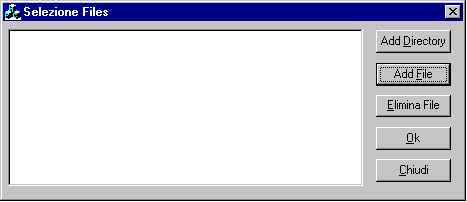
Here you can select your files and folders. You can also use the Drag&Drop to select your files from your preferred file browser.